Unstable SMP FFA Controls
Rebind the Java-style kit, free the cursor, and stop fighting the camera.
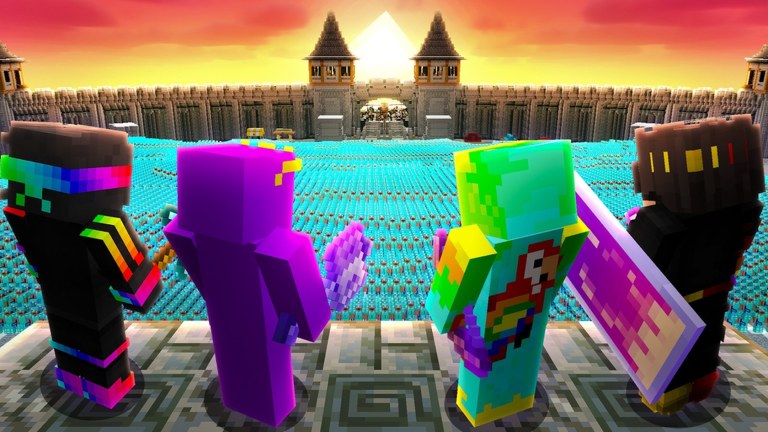
Unstable SMP FFA uses Minecraft Java muscle memory inside a Roblox window. If your binds still match a generic Roblox sword fighter, you will lose trades that a Java player would win on cooldown alone. Set controls before you queue Free For All.
Default PC inputs
| Action | Default PC key |
|---|---|
| Attack or break | Left mouse button |
| Use item, place, shield | Right mouse button |
| Unlock / free the cursor | Right Shift |
| Open or close Controls help | H |
| Hide on-screen hint | T |
| Inventory | E |
| Hotbar slots | 1–9 |
| Swap with offhand | F |
| Emote wheel (if owned) | Hold B, point, release |
Right Shift is the bind people miss. The game captures the mouse for combat. You cannot click Shop, Duel, or YES on an Orbital Drop vote until the cursor is free. After you click, click back into the world or the next mace smash happens while you are still in a menu.
Open Game Menu > Options > Controls to rebind. Click the current key, then press the replacement. Duplicate binds turn red. Fix those before you enter FFA or you will eat a Golden Apple when you meant to pearl.
Hotbar and offhand
Every kit uses a nine-slot hotbar. Put the tools you need mid-fight on it; leave crates and extra Shots in the bag.
A practical grounded layout:
- Sword or axe (main clicker)
- Shield
- Bow or spear
- Movement (pearl, wind charge, or rocket)
- Utility (cobweb, water bucket, rail)
- Golden Apple
- Backup weapon (mace, trident, second mace)
- Elytra or spare totem
- Shot or cart igniter if you carry one
Keep the Totem of Undying in the offhand. The shield then lives on the hotbar so you can raise it without dropping the totem. Press F to swap. After a totem pops, it is gone. If you carry a spare, move the spare into the offhand before you re-engage.
Flight kits complicate the chest slot. Elytra and a chestplate cannot occupy that slot together. Put Elytra on the hotbar, swap it in for a dive, then swap the chestplate back when you land. Wemmbu lives on that swap. ManePear has no totem, so a missed dive is a full reset, not a pop.
Settings that actually change fights
Open Game Menu > Options > Video Settings:
- Damage Tilt: OFF — the camera stop yanking when you take a crit.
- FOV Effects: OFF — sprint and speed pots stop warping your view.
Then open Roblox Settings > View & Controls > Camera Sensitivity. Lower it if you consistently swing past heads. Raise it if you cannot track an elytra player. Test on the Practice Dummy from Getting Started, not in a 12-player Northern Council brawl.
Set Sprint: Toggle to ON if you hate holding the sprint key. Java PvP in this game still cares about sprint crits and strafes; a toggle keeps the sprint state stable while you cycle hotbar slots.
Mobile and controller
The Roblox page lists PC, phone, and controller with rebindable controls. On a phone:
- There are no extra mouse side buttons. You will not get a twelve-button hotbar. Keep the nine slots honest.
- Use the on-screen attack button with the cooldown bar. Spam tapping loses to timed clicks, which is why dummy practice still matters.
- Simulator battles over 50 soldiers can lag. Drop the slider. Details are in Simulator.
- Emote wheel and custom binds still work if you assigned them. Open Controls help with the on-screen H equivalent if you remapped it.
Controller players should bind offhand swap and inventory to face buttons they can hit without releasing aim. Duel accept (Y) and decline (N) are keyboard defaults; rebind them if you never touch a keyboard.
Menus you will open in a live server
You can still take damage while a menu is open. Walk behind cover, then:
- H — Controls help overlay.
- E — Inventory. Hover unknown items; named maces and Cart Igniter look similar to junk until you read the tooltip.
- Right Shift — cursor for Shop, Duel, Orbital Drop votes (YES!! / no bro..), and Options.
- Game Menu > Change Character / Title Screen — swap kits without leaving the experience. Death screen also offers a change.
Orbital Drop votes appear as ANOTHER ORBITAL DROP? Free the cursor, vote, then lock back in. Drop loot rules are on Shots.
A bind checklist before your first FFA
- Confirm attack is not bound to the same key as eat.
- Confirm offhand swap is a key you can hit while strafing.
- Confirm Right Shift (or your replacement) actually frees the cursor.
- Turn Damage Tilt and FOV Effects off.
- Play 60 seconds on the dummy with the new binds.
- Only then open combat drills or queue Duels.
Bad binds make every other guide on this wiki feel wrong. The mace did not fail you; slot 7 did. Fix the keyboard, then worry about arena layouts and the tier list.
Frequently Asked Questions
Quick answers to the most common Unstable SMP FFA questions.
How do I free the mouse in Unstable SMP FFA?
Press Right Shift on default PC binds. That releases the cursor so you can click Shop, Duels, and Orbital Drop votes.
How do I put a totem in the offhand?
Open inventory with E and move the Totem of Undying into the offhand slot beside the character preview, or press F to swap the selected hotbar item.
Why does my camera jerk when I get hit?
Damage Tilt is on. Set Game Menu > Options > Video Settings > Damage Tilt to OFF. Set FOV Effects to OFF in the same panel.
Can I rebind hotbar keys on mobile?
You can rebind actions in Options > Controls, but you still have nine hotbar slots. Plan the bar instead of hunting for extra mouse buttons.